Step 1: Figma Mockup
I usually then spend some time in Figma looking at all the data that I can use in my design
Step 1: Figma Mockup
I usually then spend some time in Figma looking at all the data that I can use in my design
Step 1: Figma Mockup
I usually then spend some time in Figma looking at all the data that I can use in my design

Step 1: Figma Mockup
I usually then spend some time in Figma looking at all the data that I can use in my design
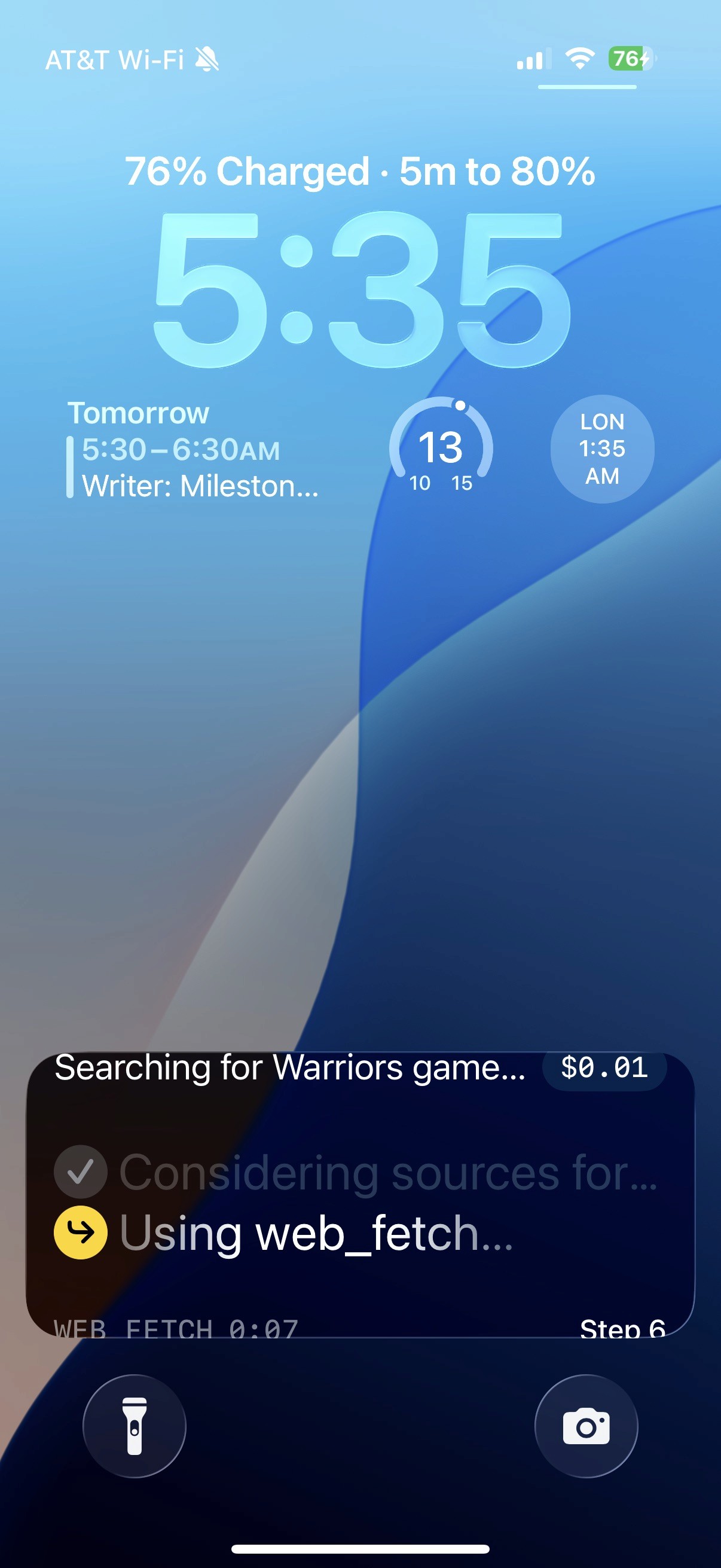
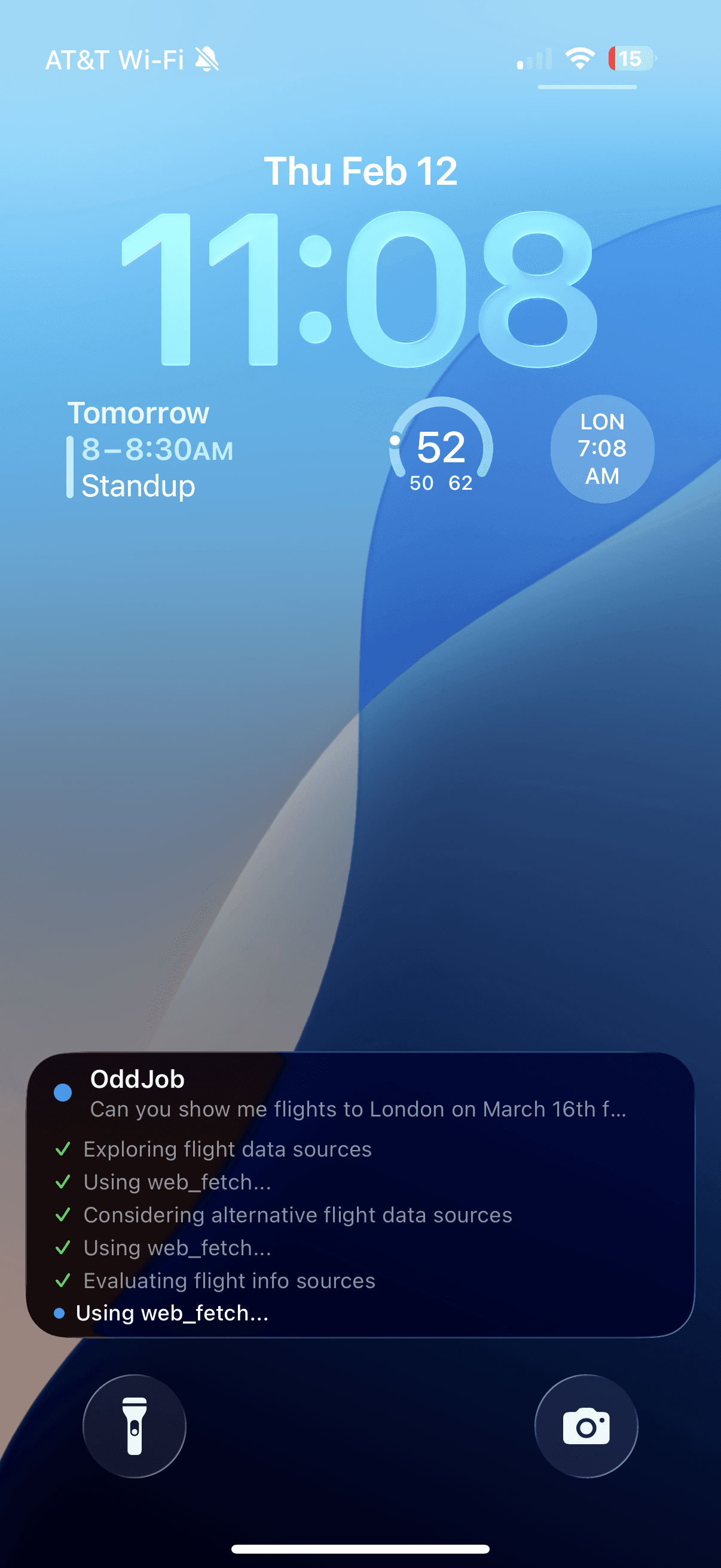
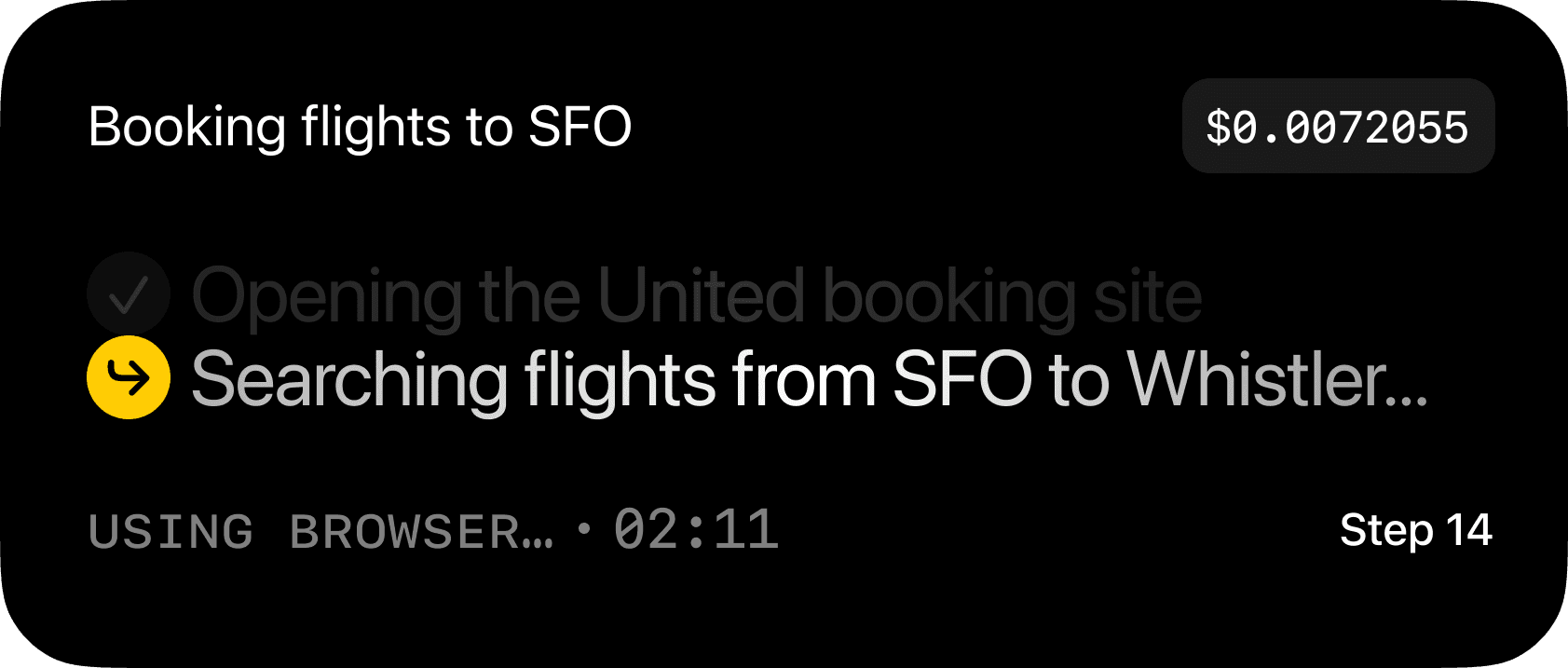
Okay, Now I want to update the LiveActivity UI. I want the background to be black. I want the top Hstack to have the "Subject of the ask" on the top left in SF Pro Regular 20px font white. I'm not sure how we do this but ideally Openclaw gives us something back that summarizes what the user is atually asking for. It would be best if it wasn't just the actual text from the user message but something that took a request like "Hey there can you look into booking some flights for me from SFO to NYC on Jan1" to "Booking flights SFO to NYC" on the other side of the Subject of the Ask. I'd like to display the current cost of the task. Mono font, white, size 16, medium with a white background lightly padded with 10% opacity. Under that HStack I would like the actual "Intent" that's in the JSON. So for example "Searching flights from SFO to Whistler..." I want this to be styled in white SF pro regular size 28 with a soft shimmer. On the left of it with a gap of 6px should be a arrow.turn.down.right icon in black with a yellow circle around it The icon size should be Bold 16 and the circle should be 30 by 30. Now to be clear I only want to show the active intent. I also want to show the one previous completed task aswell. the way this should look is that is fades to 20% opacity, has a grey checkmark instead of the arrow, and shifts to be directly above the new intent (with 0 vertical spacing). so basically we're only showing two intents at any given time. Finally the last row will be an Hstack with the "action" displayed this will also be from the JSON. it's my undersntading that the action can stay while sever intents are passing through. This should be pushed to the bottom left All capps, mono medium font, white opacity 50%. directly to the right of that with minimal spacing should be an active timer display of the current duration of that Action. like "USING BROWSER 2m 34s" then on the opposite side of that should be the step number displayed as "Step 14" in white sf pro medium size 16. I'm not sure how you plan to determine the height of the live activity but the three main parts of the Vstack should have about a 28px vertical spacing.
Step 1: Figma Mockup
I usually then spend some time in Figma looking at all the data that I can use in my design
Step 1: Figma Mockup
I usually then spend some time in Figma looking at all the data that I can use in my design